20 Small Apartment Gaming Room Setup Ideas to Recreate
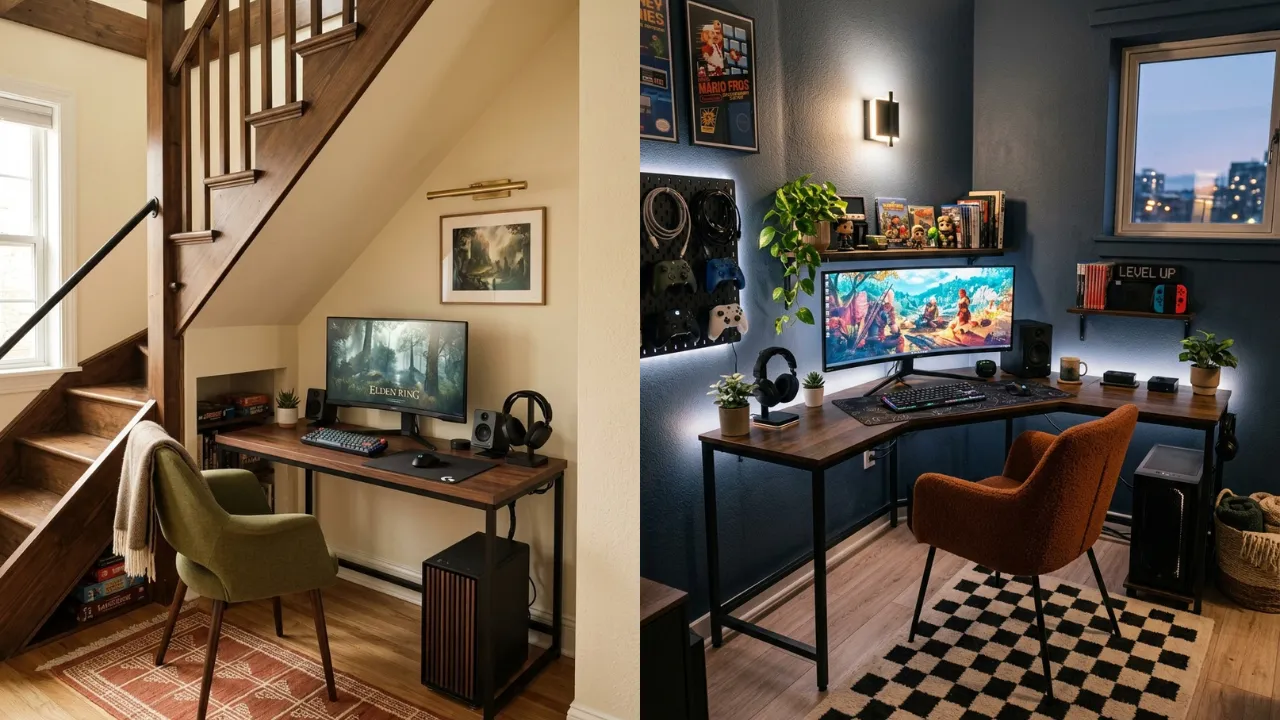
Your apartment is small, but your gaming setup does not have to feel like a compromise. The right layout can turn an awkward corner, a window wall, or the space under your stairs into a gaming zone that feels built just for you.
Small apartment gaming room setups go wrong in predictable ways. The desk blocks the walkway. Cables creep across the floor. A bulky chair eats half the room. None of that is a space problem, it is a placement problem, and placement is fixable.
The best compact setups are not the ones stuffed with gear. They are the ones where every piece earns its spot. These 20 ideas show you how to float the desk, hide the storage, kill the cable mess, and carve out a station that still leaves room to live. Find the one that fits your space and start there.
Before You Start: Plan Your Small Gaming Space
A small apartment does not need a large room to feel like a proper gaming space. The key is deciding where the setup will live before buying furniture. Look for unused corners, wall sections, window areas, spaces behind sofas, and awkward sections that can serve more than one purpose.
Start by measuring the available floor and wall space, then think about how the chair will move when you are gaming. A desk that fits on paper can still make the room feel cramped if it blocks a walkway. Once the layout is clear, choose storage and lighting that support the setup without filling every open surface.
1. Stair Landing Gaming Nook
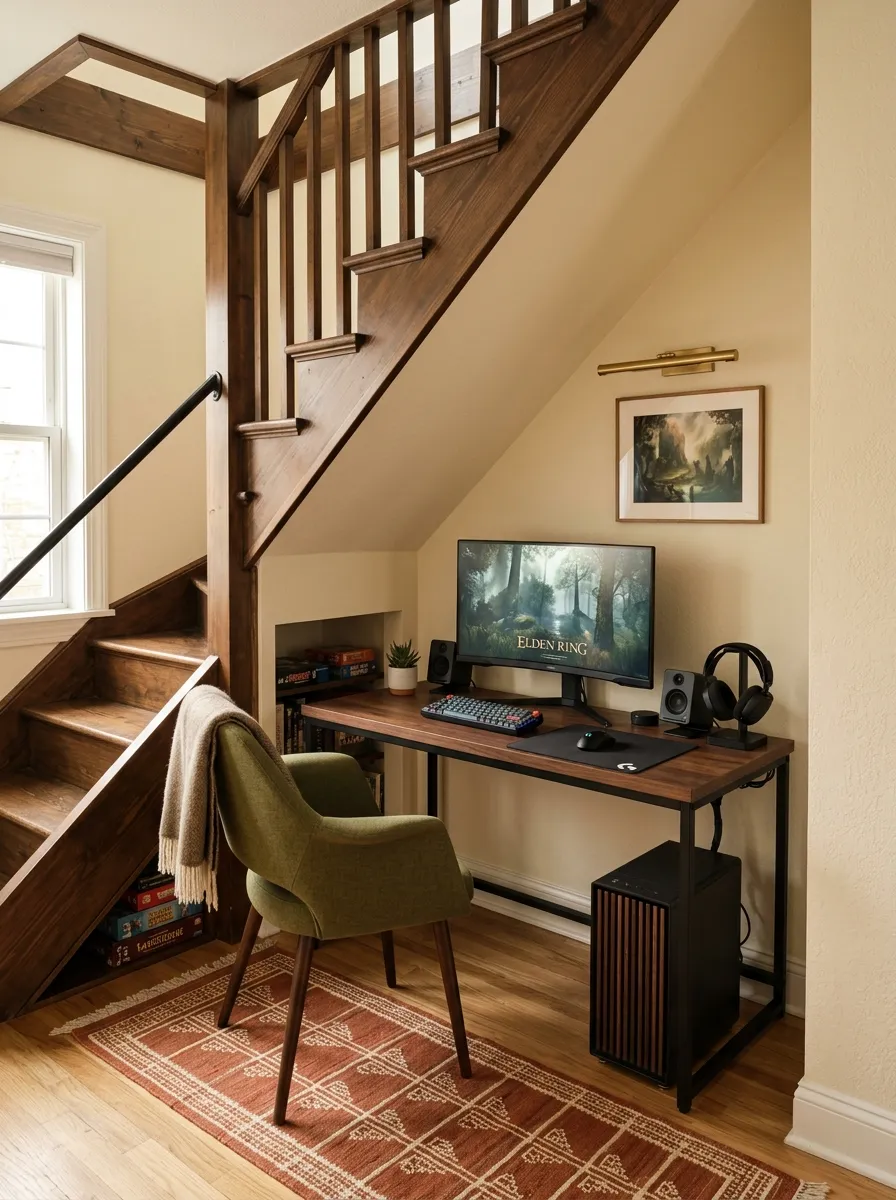
- Use the lower section beneath the stairs for drawers and compact gaming storage.
- Position the monitor toward the taller end where there is comfortable head clearance.
- Keep the chair centered under the highest part of the landing.
- Route cables along the wall edge so the stair path stays clear.
Ever walked past the space beneath a staircase and thought nothing useful could fit there? A compact gaming station can make that awkward architecture work in your favor. The desk occupies the taller section, while the lower area becomes hidden storage for controllers, headphones, charging gear, and other small equipment.
Dark walnut gives the desktop enough depth against warm ivory walls, while the olive chair connects with the earthy terracotta runner. Keep the monitor away from the lowest ceiling point, where the setup could feel cramped. The smartest part is leaving the stair path completely open, so the gaming nook uses leftover space without interfering with movement.
2. Narrow Console Tower Setup
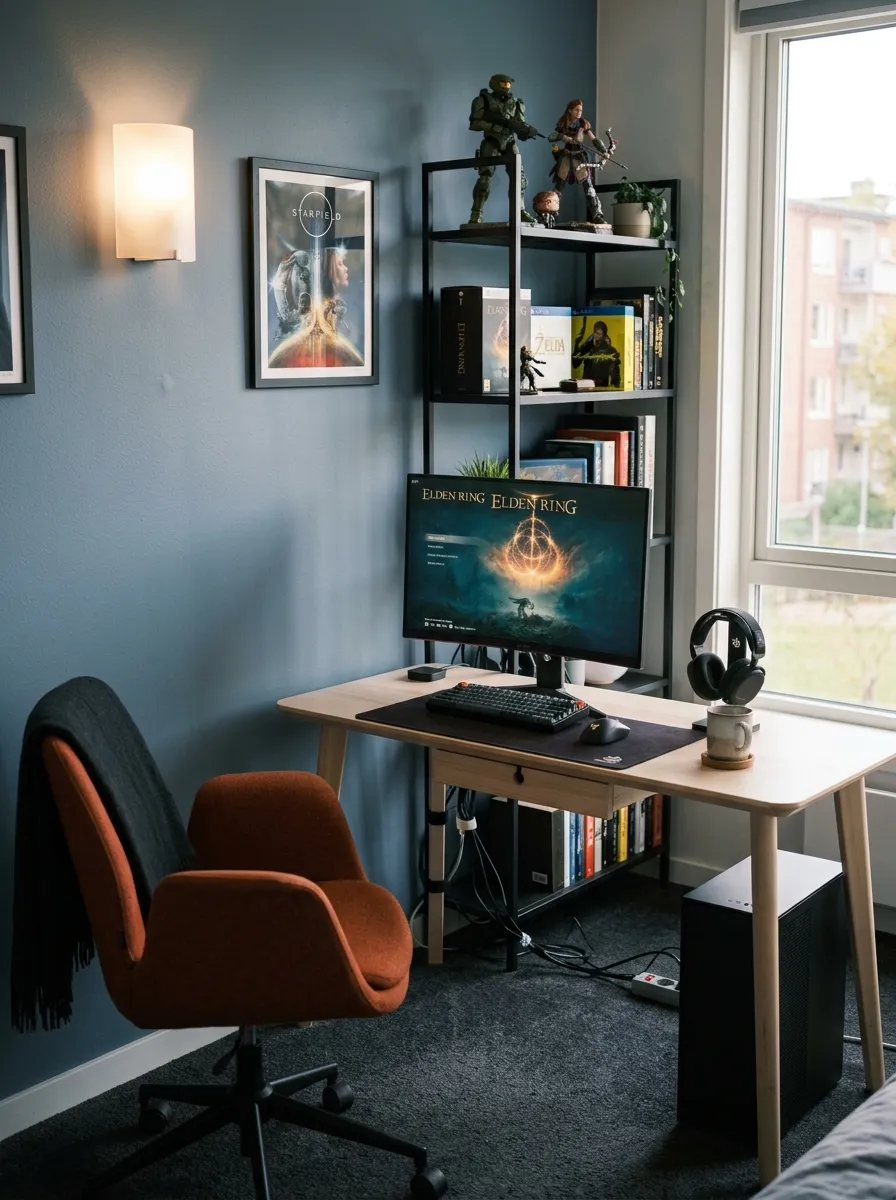
- Use vertical shelving to move gaming equipment upward instead of across the floor.
- Keep the tower narrower than the desk so the workstation stays visually dominant.
- Place consoles on separate open shelves to allow proper airflow.
- Reserve the highest shelf for lightweight items that are rarely needed.
Running out of floor space does not mean running out of storage. A narrow console tower takes advantage of vertical height, giving controllers, games, headphones, and equipment dedicated locations without requiring another wide cabinet. The desk can then stay focused on the monitor, keyboard, and mouse instead of becoming a storage pile.
Smoky blue walls give the tower a strong backdrop, while the light birch desktop keeps the workstation from feeling heavy. Burnt orange on the chair introduces contrast without covering the entire setup in bright gaming colors. Leave visible gaps between electronics rather than stacking everything tightly together.
The tower should sit beside the desk instead of directly behind the chair. That keeps accessories within reach while protecting the chair’s movement zone. Open black metal shelving also allows heat to escape more easily than a closed cabinet. Here, height does the heavy lifting while the floor stays relatively clear.
3. Sliding Curtain Gaming Booth
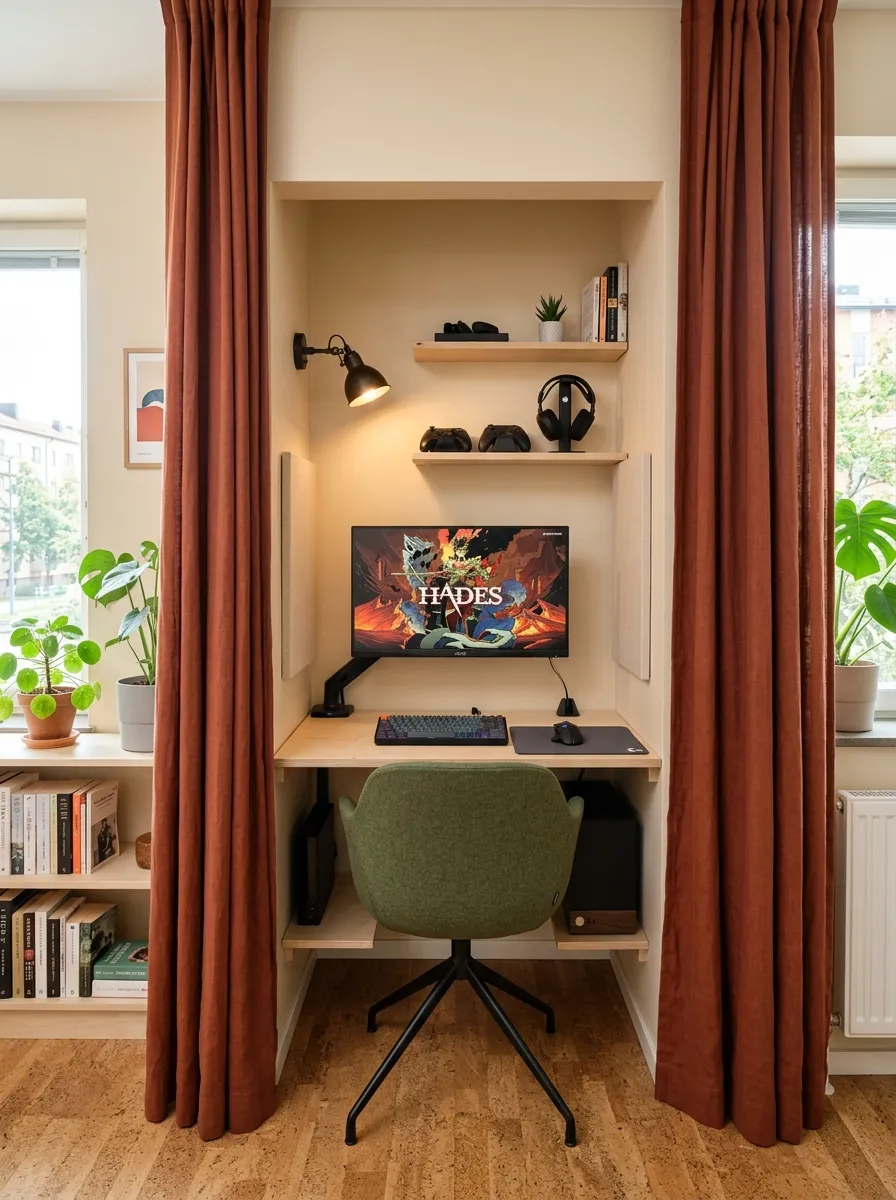
- Use full height curtains to hide the workstation when gaming is finished.
- Extend the curtain track beyond both sides of the desk for a complete opening.
- Choose a shallow birch desk so the chair has enough room to move.
- Keep curtain fabric away from PC vents, outlets, and cable connections.
What if your gaming station could disappear whenever you are done playing? That small trick can change how a studio apartment feels. Rust colored linen curtains conceal the monitor and desk when closed, allowing the same section to return visually to the rest of the apartment instead of permanently reading as a gaming zone.
Pale beige walls keep the recess from feeling boxed in, while birch gives the workstation a lighter character. Moss green upholstery brings contrast without competing with the curtain. Keep the computer on a ventilated side surface rather than behind the fabric, and leave enough clearance for the panels to move freely without catching on the chair or equipment.
4. Foldaway Gaming Cabinet
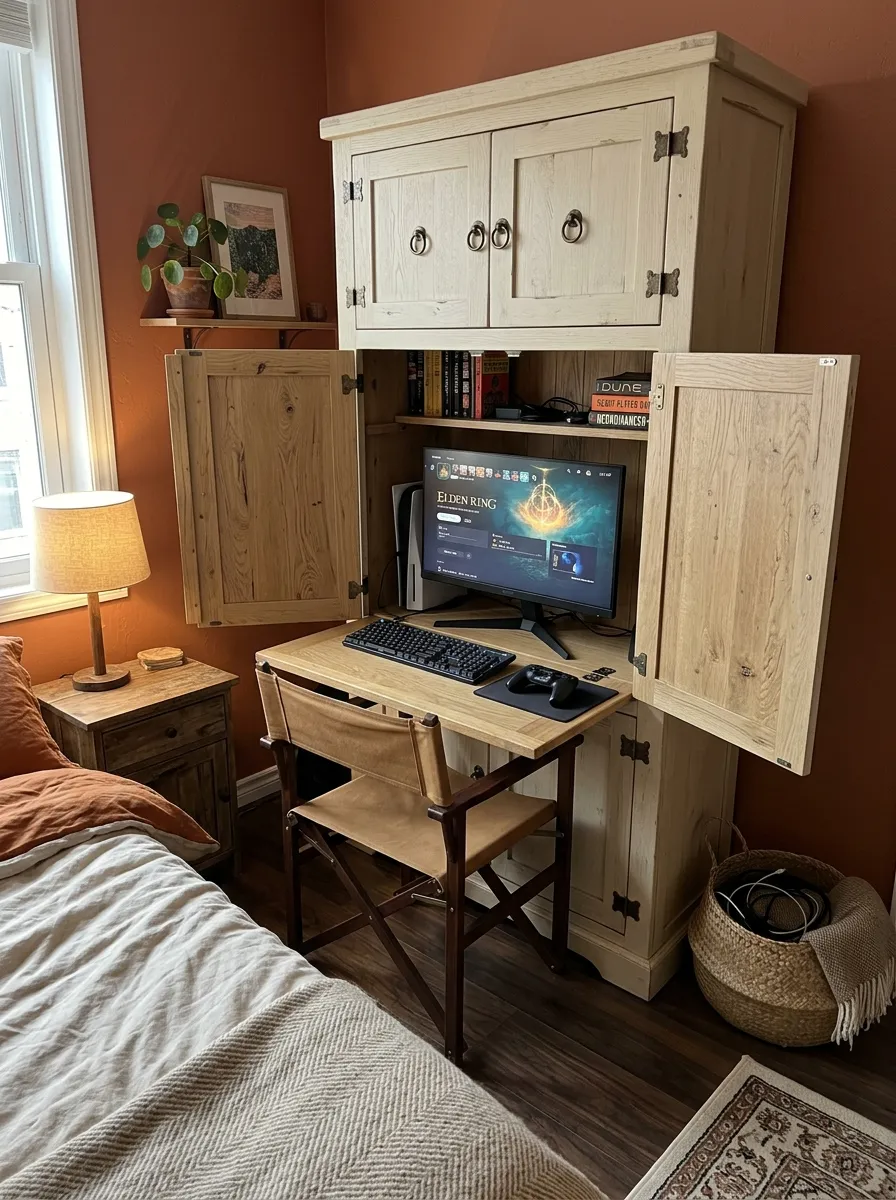
- Choose a cabinet narrow enough to fit beside existing bedroom furniture.
- Use a fold down desktop that closes when the gaming session ends.
- Mount the monitor securely inside rather than placing it on the folding surface.
- Add ventilation openings around computer and console compartments.
What if your gaming room could look like an ordinary bedroom again the moment you finish playing? A tall cream oak cabinet makes that possible by hiding the workstation behind closed doors. Open it and the gaming station is ready. Close it and the equipment disappears from view without requiring another room.
Terracotta behind the cabinet gives the workstation a stronger visual identity when the doors are open. The fold down desktop should provide enough room for comfortable keyboard movement without extending too far into the walking path. A tan canvas chair keeps the setup lighter than a bulky gaming chair and can move elsewhere when needed.
Ventilation is the detail that should never be overlooked. Electronics need deliberate air gaps and should not operate inside a sealed cabinet. Route cables through rear openings and keep warm components away from fabric baskets. With those details handled, the cabinet becomes a practical space saving solution rather than just an attractive storage piece.
5. Glass Shelf Gaming Wall
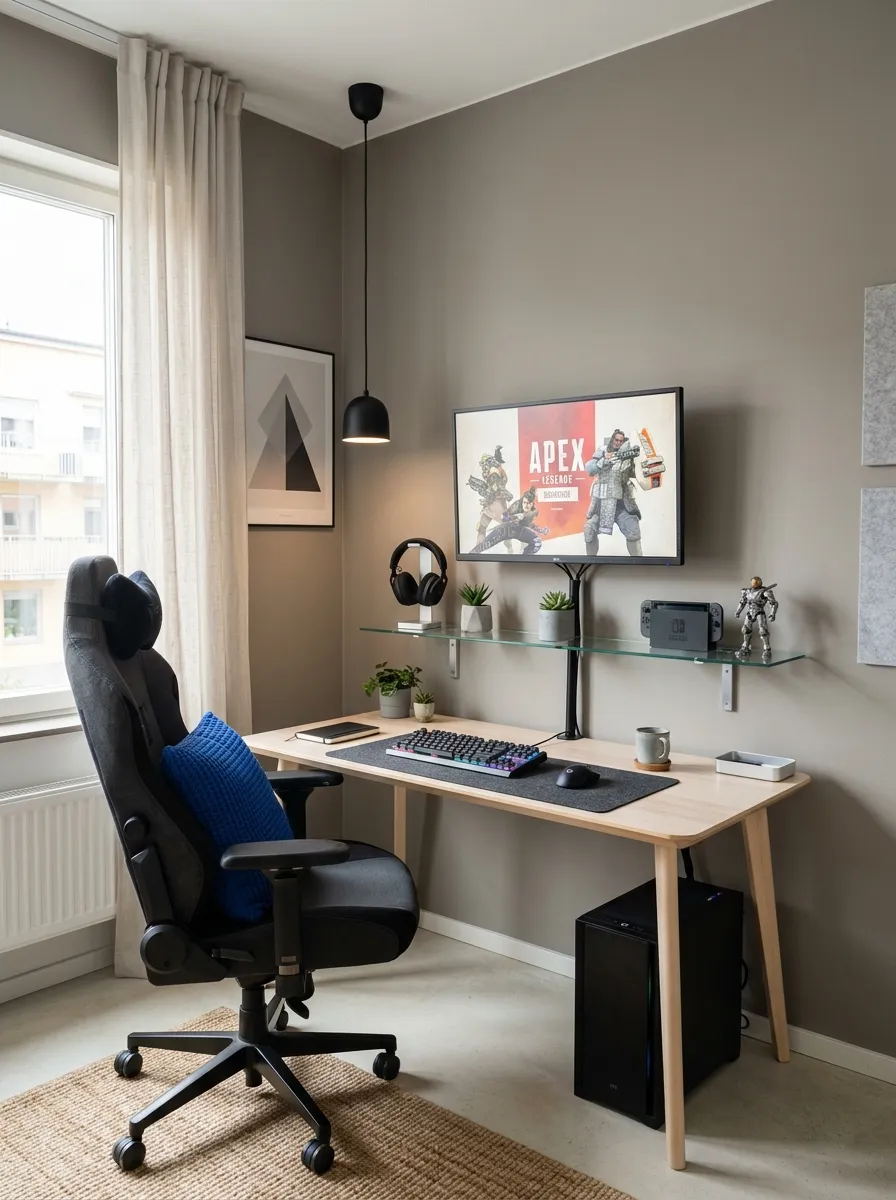
- Replace a bulky gaming cabinet with one or two shallow glass shelves.
- Keep only frequently used controllers and accessories on the lower shelf.
- Mount the monitor above the shelves so the wall becomes the main storage zone.
- Use transparent boxes for small items instead of loose piles on the desk.
Could transparent storage make a gaming wall feel almost weightless? Glass shelves can hold the equipment you need without forming a solid block across the wall. In a small apartment, that visual openness matters because you still get storage while light and sightlines can pass through the shelving.
Pale ash wood keeps the desk understated against warm gray walls, while a cobalt chair cushion gives the setup one controlled gaming accent. Avoid filling every shelf simply because there is room. Leaving clear sections between accessories lets the wall breathe and keeps the equipment from becoming the first thing you notice.
Shelf depth also deserves attention. Around six to eight inches is enough for controllers, small accessories, and lightweight storage without pushing too far into the room. Heavier consoles should stay on a proper ventilated surface. The glass should support the setup, not become an overcrowded replacement for a cabinet.
6. Headboard Gaming Nook
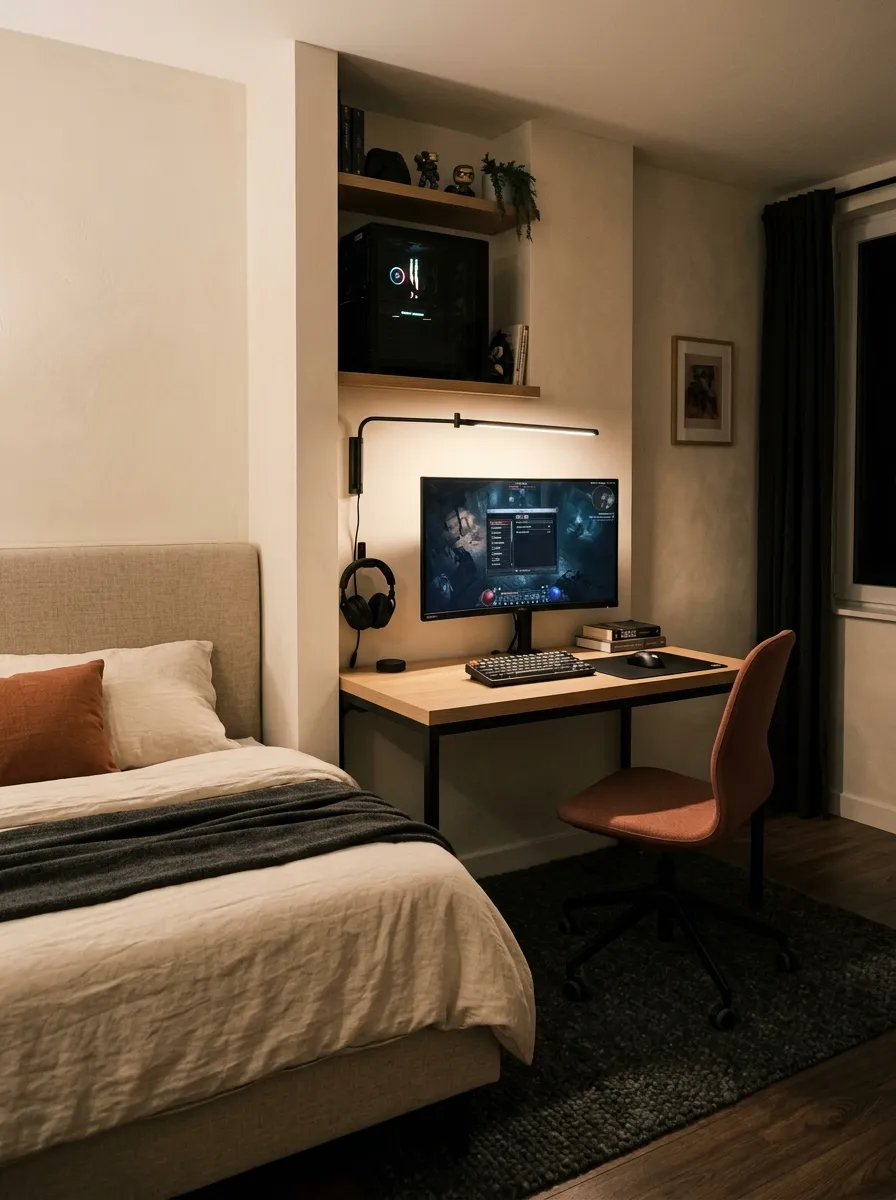
- Position the gaming desk beside the headboard so both functions share one compact wall.
- Keep the desktop slightly lower than the headboard to visually separate the zones.
- Route cables along the wall instead of across the bedroom floor.
- Use one closed drawer for controllers, headphones, and charging equipment.
Ever noticed how the narrow strip beside a bed often becomes wasted space? Turning that section into a gaming nook lets the bedroom serve another purpose without pushing a large desk into the center. The workstation stays close to the bed, while the rest of the floor remains available for walking and everyday movement.
Pale oak softens the black desk frame, while muted terracotta on the chair brings color against the cream wall. Keep the gaming area visually separate from the sleeping zone by using simple linen bedding and restrained accessories. A small directional reading light can illuminate the desk without covering the headboard in bright RGB lighting.
7. Corner Wrap Gaming Desk
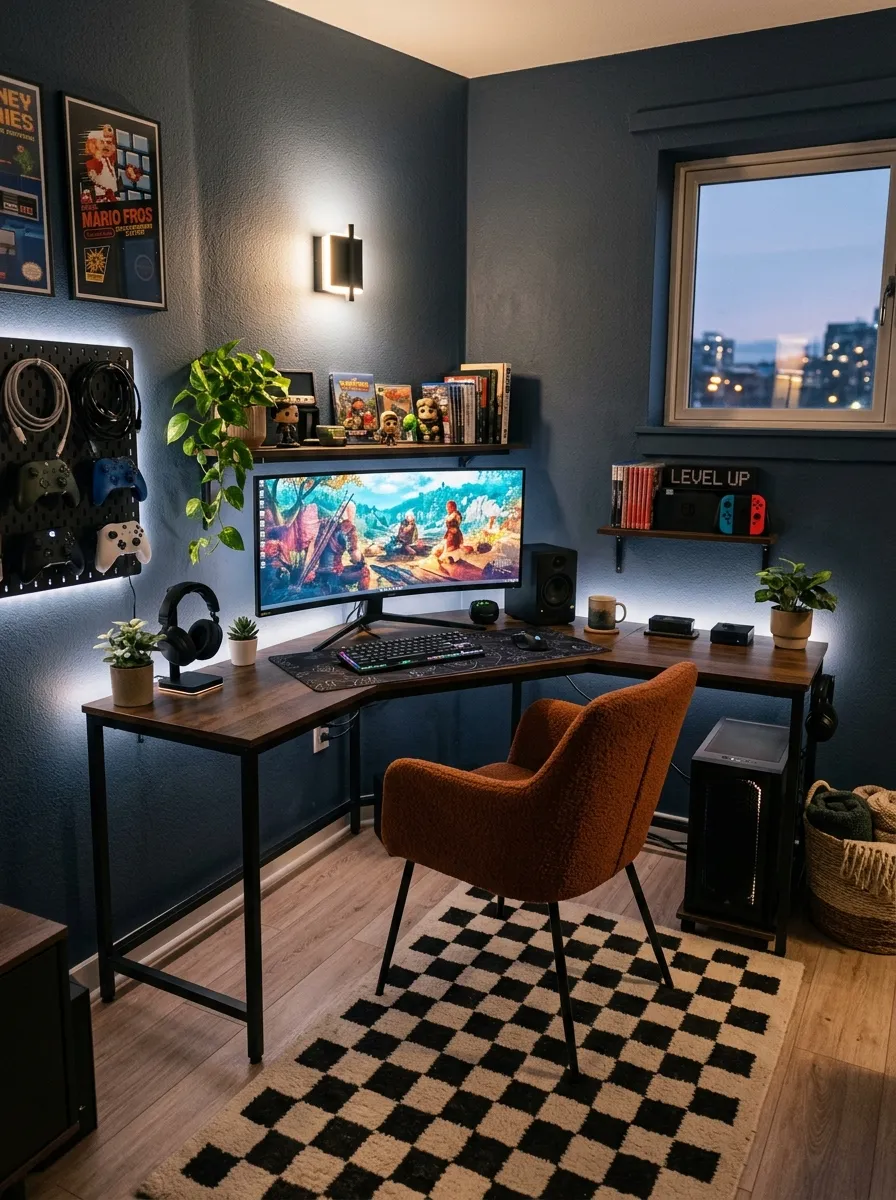
- Push both sides of the desk tightly against the walls to free the center floor.
- Use the longer section for the monitor, keyboard, and mouse.
- Reserve the shorter section for controllers, headphones, and charging gear.
- Choose a rounded corner so the chair can move without catching on sharp edges.
Ever had a corner that seems too awkward for normal furniture? An L shaped gaming desk can turn that dead zone into a focused workstation. Both sides follow the walls, so the setup uses space that might otherwise sit empty while keeping the middle of the apartment available for walking.
Smoked oak gives the desktop a strong presence against charcoal blue walls, while the rust orange chair brings an unexpected hit of color. The important detail is the desk shape. A rectangular desk placed diagonally would waste the corner, while the L shape follows the architecture and gives you two useful work surfaces.
Keep the short side dedicated to smaller gaming equipment rather than another screen. A controller dock, headphones, charging station, or compact speaker can sit there without crowding the monitor area. Mounting a slim wall sconce above that section also keeps the desktop clear and prevents another lamp from taking up valuable surface space.
8. Floating Desk Gaming Wall
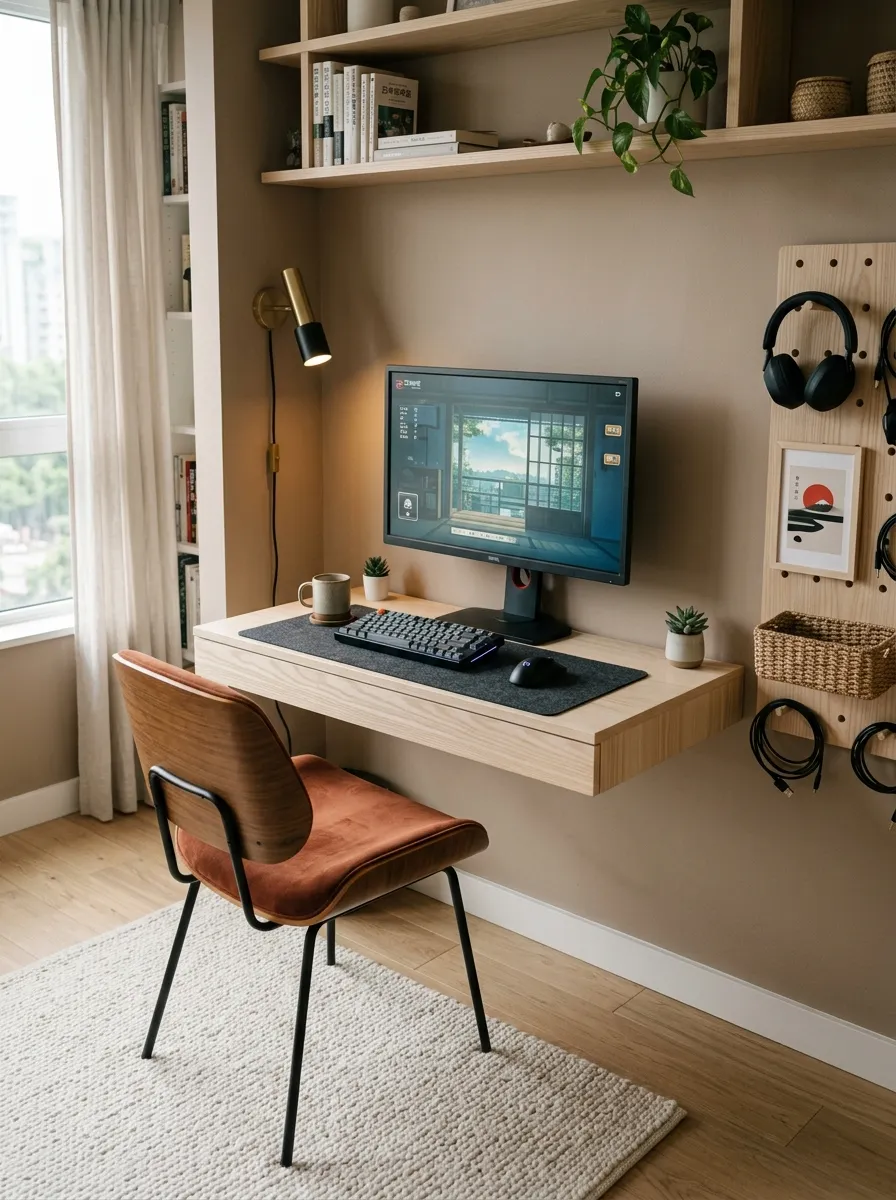
- Mount the desk high enough for comfortable legroom while keeping the floor open.
- Use the wall underneath for a compact rolling drawer instead of fixed storage.
- Keep the peg rail limited to headphones, one controller, and charging cables.
- Choose a light wood desktop so the floating design stays visually light.
What if removing the desk legs could make the whole gaming corner feel larger? A wall mounted desk leaves the floor visible underneath, allowing the eye to travel across the room. In a small apartment, that open strip can make the workstation feel less bulky while still providing enough surface for a monitor and keyboard.
Pale ash wood brings a lighter finish against mushroom walls, while the rust colored chair gives the corner a strong accent. Keep the wall storage selective because the floating desk already draws attention upward. Too many hooks, shelves, and accessories would turn the clean wall into another cluttered surface.
The open area beneath the desk can also stay flexible. A small rolling drawer can slide underneath when storage is needed, then move elsewhere when the floor needs to remain clear. That makes the workstation useful without permanently claiming every inch around it.
9. Bookshelf Gaming Passage
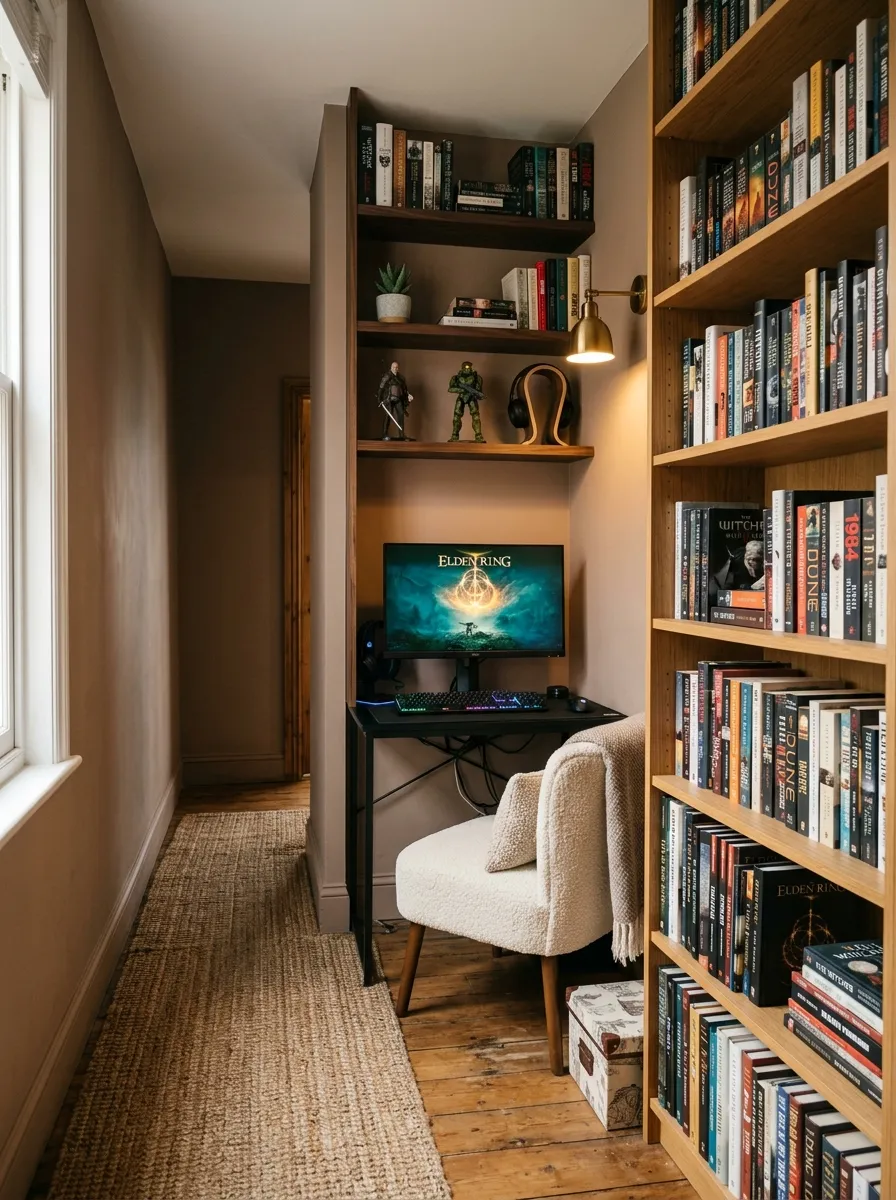
- Use the narrow wall beside the bookshelf instead of taking over the main bedroom wall.
- Keep the desk shallow enough for comfortable passage behind the chair.
- Store books on upper shelves and gaming accessories within easy reach below.
- Mount the light beside the monitor to keep the desktop clear.
Ever noticed how a narrow passage can feel like wasted space simply because standard furniture does not fit? A slim gaming desk can turn that awkward strip beside a bookshelf into a useful workstation. The bookshelf already provides storage, so the desk does not need extra cabinets competing for floor space.
Muted clay walls and dark walnut shelves give the area a warm library character, while the cream chair keeps the workstation from feeling too heavy. Keep gaming gear grouped on the lower shelves rather than scattering it across the desk. That separation makes the station easier to use and keeps books from becoming mixed with cables and controllers.
The chair is the part that needs careful planning. A bulky gaming chair could block the passage every time you sit down. Choose a compact upholstered chair that slides fully beneath the desk when gaming ends. That simple move keeps the walkway usable and lets the workstation blend into the surrounding apartment instead of becoming an obstacle.
10. Art Wall Gaming Desk
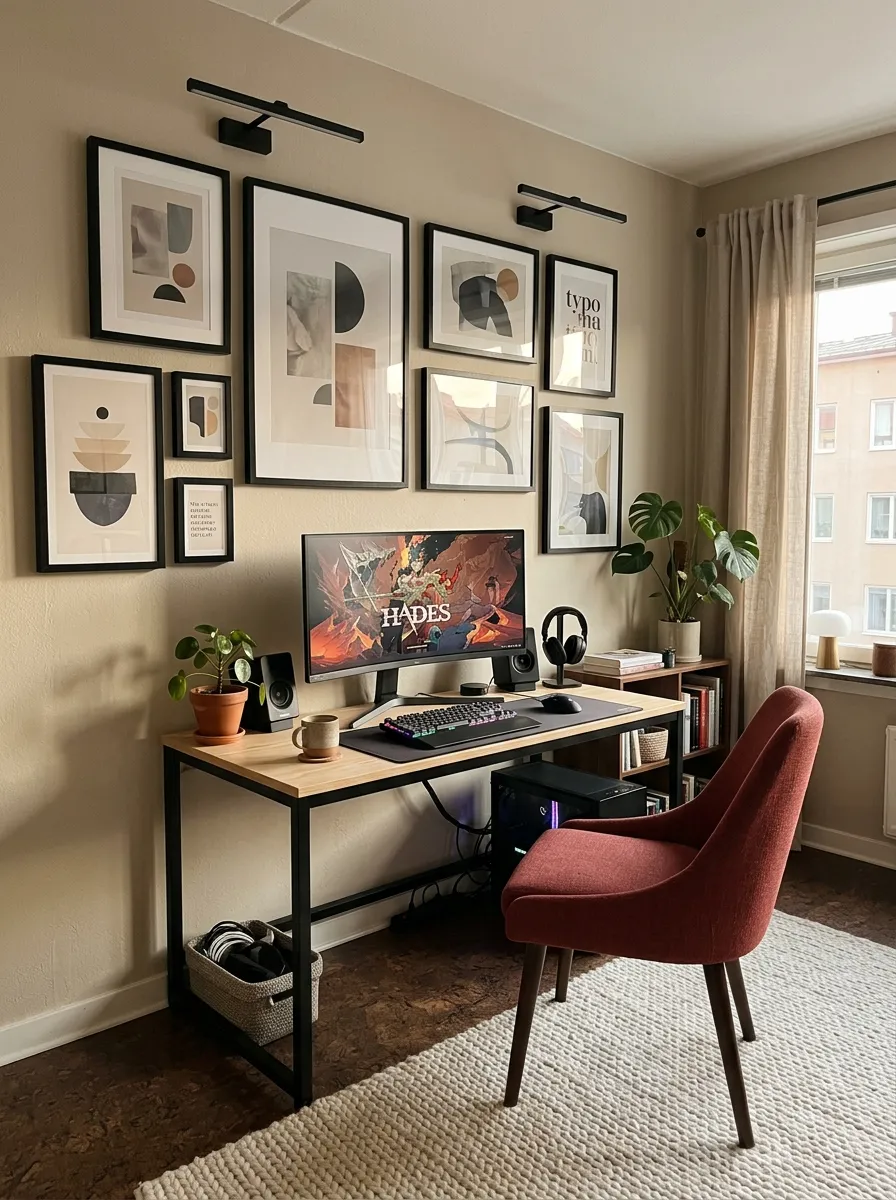
- Arrange framed artwork around the monitor so the gaming station feels part of the wall.
- Keep the monitor centered while placing surrounding frames in a relaxed arrangement.
- Choose a slim desk with closed drawers to keep gaming equipment contained.
- Use picture lights above the artwork instead of bright RGB strips.
- Repeat only two or three artwork colors through the chair and desk accessories.
What if your gaming setup could look like part of an art collection instead of a technology corner? Framed abstract prints surrounding the monitor give the wall a collected feel while the slim desk stays visually quiet. This approach suits an apartment where the gaming station shares space with regular living or bedroom decor.
Natural ash keeps the desk understated against warm putty walls, while muted red upholstery connects with small tones in the artwork. Avoid placing every frame in a rigid grid because the monitor already provides strong straight lines. A relaxed arrangement feels more personal, while picture lights bring a gentle glow without covering the screen in colored lighting.
11. Window Bench Gaming Setup
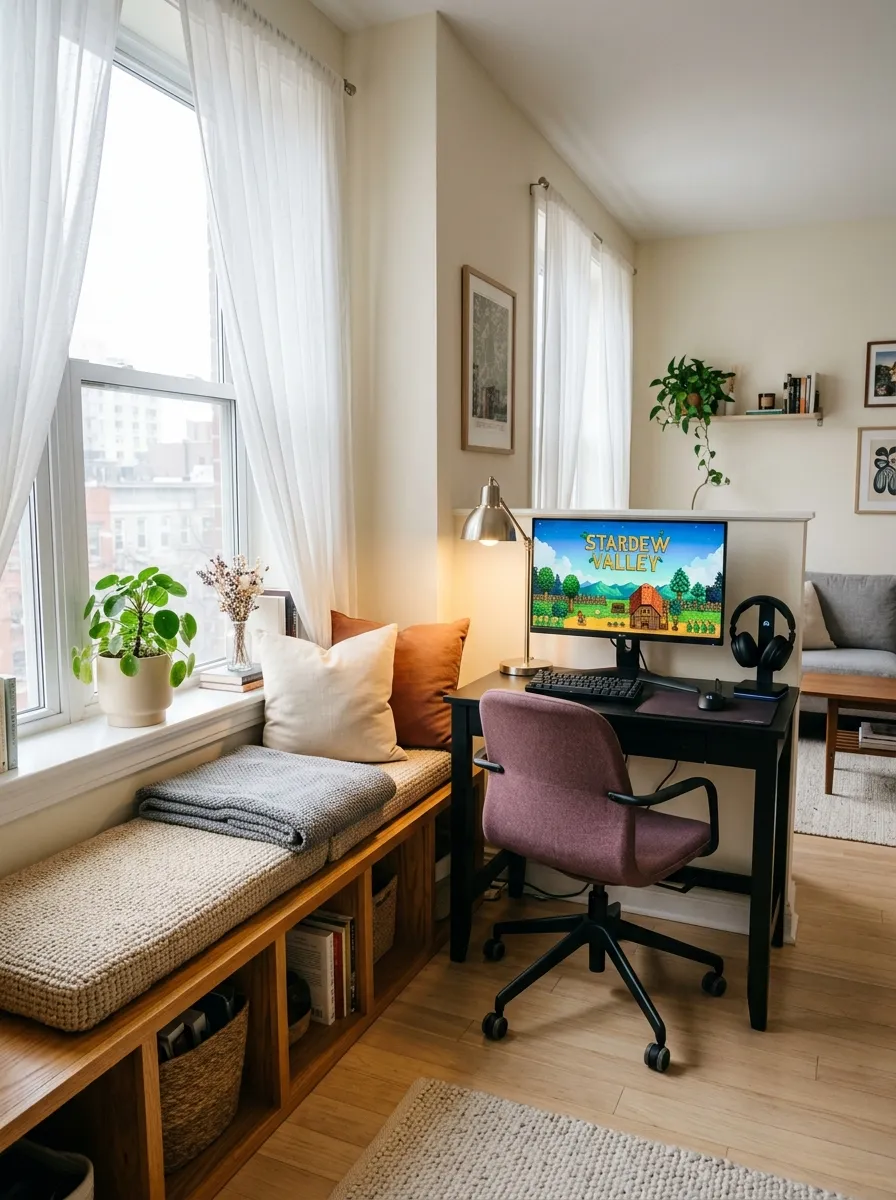
- Use the side of the window bench as a natural boundary for the gaming station.
- Keep the desk narrower than the bench so the window remains visually open.
- Store controllers, cables, and spare equipment inside the bench.
- Position the task lamp toward the wall rather than blocking the window.
Have you ever had a window bench that looked useful but somehow never had a purpose? Pairing it with a compact gaming desk gives that overlooked area a new job. The bench provides seating and hidden storage, while the desk takes only a narrow section beside it instead of consuming another wall.
Honey oak and ivory keep the setup light, while muted plum on the chair gives the workstation a richer accent. Keep the monitor slightly turned toward the side wall rather than directly facing the window. That simple angle reduces changing daylight glare and makes longer gaming sessions easier on the eyes.
The hidden bench storage is where the arrangement becomes especially useful. Spare cables, boxed games, extra controllers, and less frequently used accessories can disappear underneath the seat. Keep those items out of sight so the desktop remains focused on gaming instead of becoming another storage surface.
12. Alcove Console Lounge
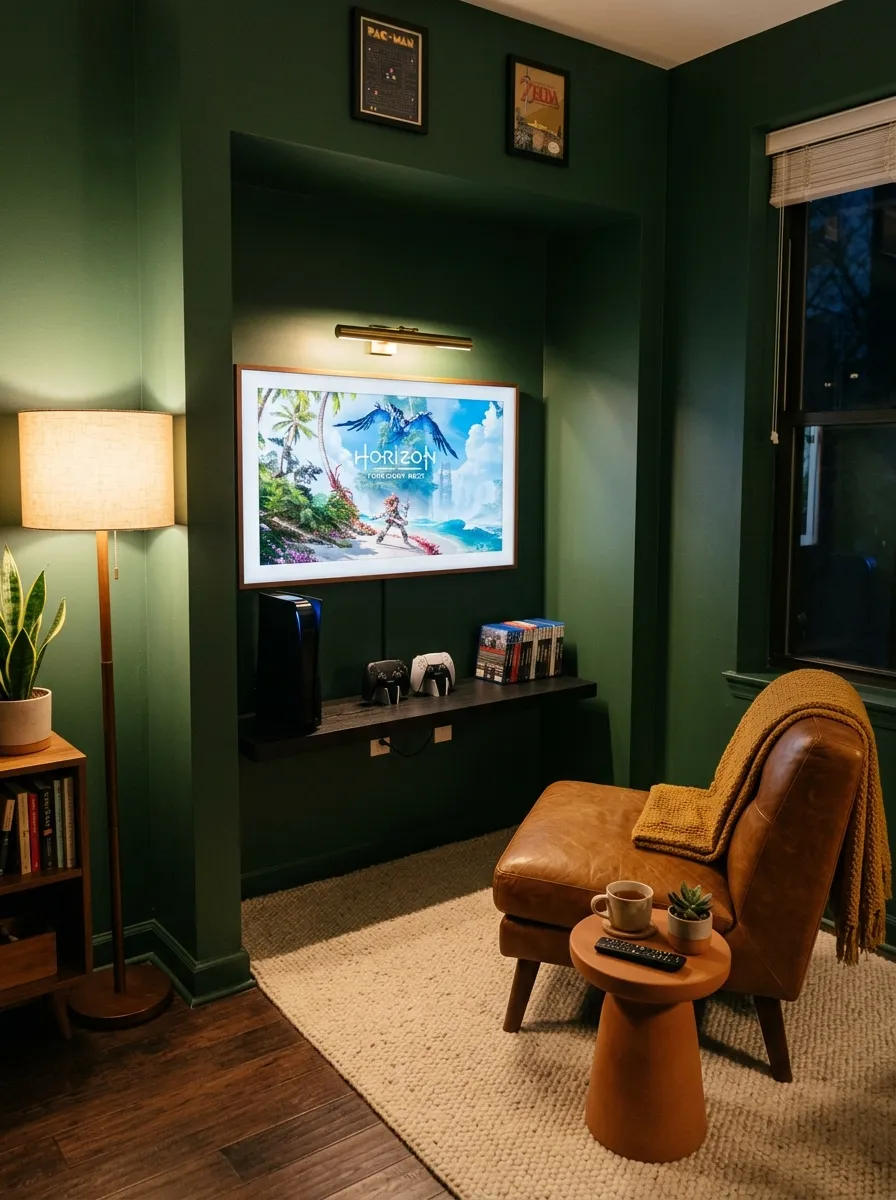
- Use the shallow alcove as the dedicated gaming zone instead of filling open floor space.
- Mount the television inside the recess so the screen becomes the main focal point.
- Choose one floating shelf for the console and controllers instead of a deep cabinet.
- Angle the lounge chair toward the screen while keeping the walkway behind it clear.
Have you ever looked at an awkward wall recess and wondered what could possibly fit there? A compact console lounge can turn that forgotten section into a focused gaming corner. Because the walls already frame the area, you get a natural boundary without adding a room divider or sacrificing more floor space.
The floating black oak shelf keeps the equipment elevated and leaves the floor underneath open. A caramel leather chair brings a different texture against the forest green wall, while the cream rug marks the seating area without spreading across the whole room. Keep the shelf slightly narrower than the television so the screen stays visually dominant.
The brass picture light is the unexpected touch here. Instead of surrounding the television with bright gaming lights, use one warm fixture above the alcove and aim it downward. The glow can make the setup feel more like a curated media corner at night. Leave the area below the shelf empty so the apartment still has an easy walking route.
13. Under Window Floating Console
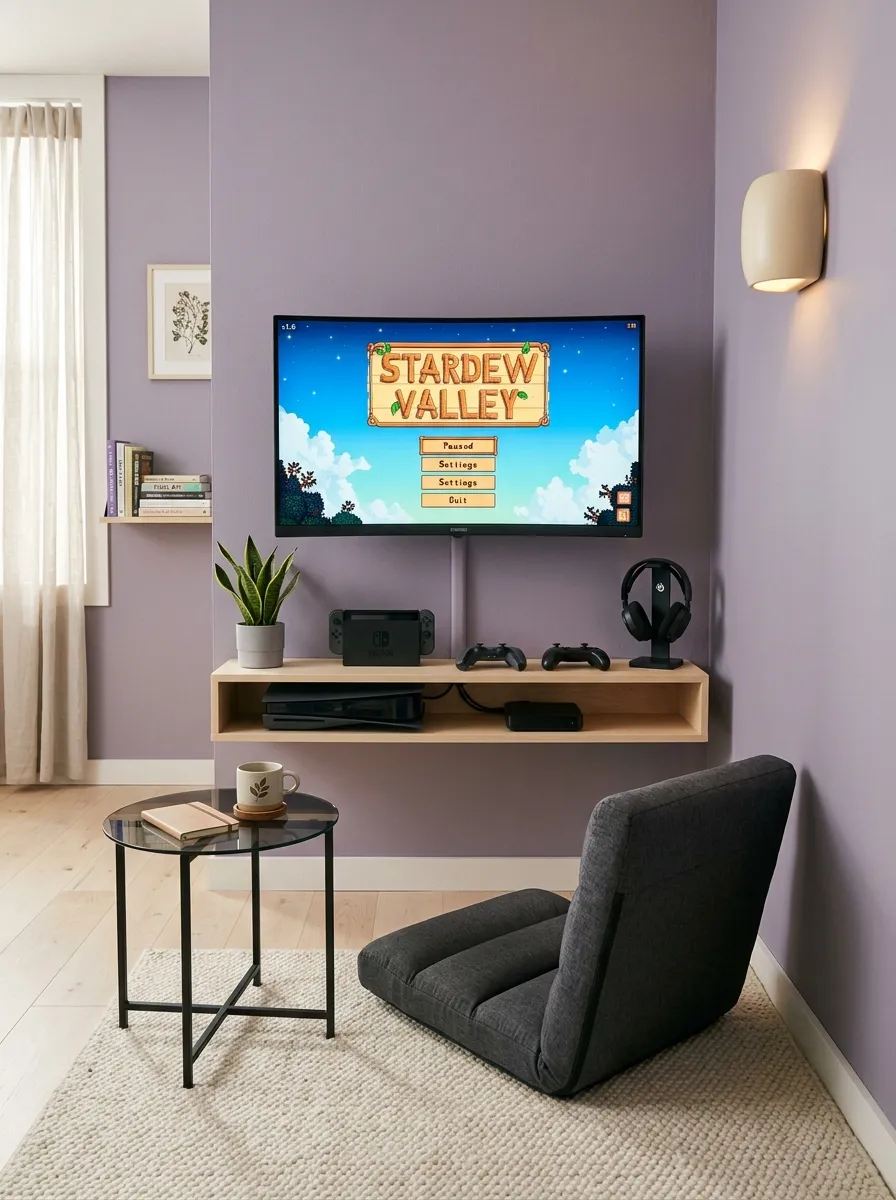
- Mount the console shelf directly below the screen to keep the floor completely open.
- Use a compact floor chair when a full gaming chair would take too much room.
- Center the screen carefully so the arrangement feels intentional rather than squeezed in.
- Hide cables inside the wall or a slim painted channel beneath the shelf.
What if a gaming station could work without a desk at all? A floating console shelf beneath a wall mounted screen leaves nearly the entire floor untouched. That makes this setup useful for apartments where the same area needs to support several activities instead of staying permanently arranged around gaming.
Dusty lavender gives the wall character while pale birch flooring keeps the lower half bright. A charcoal floor chair provides a grounded seat without the footprint of a bulky recliner. Keep the screen centered and avoid placing extra furniture around it, because the open floor is one of the strongest parts of the arrangement.
The shelf needs enough depth for the console while staying as shallow as possible. Leave ventilation space around the equipment and keep accessories grouped rather than spread across the surface. A narrow cable channel painted to match the wall can handle the necessary wiring without bringing another cabinet into the room.
14. Daybed Gaming Workstation
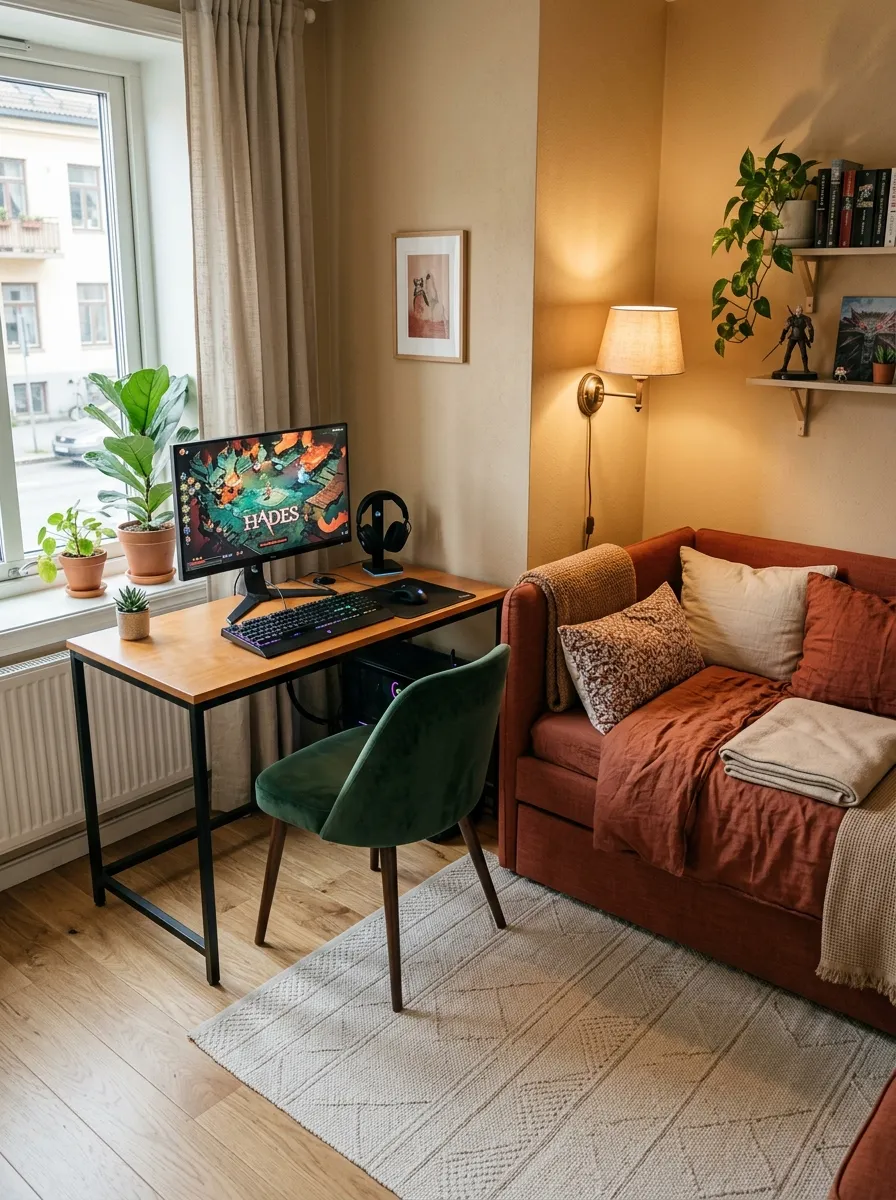
- Place the desk beside the daybed so one wall serves both gaming and lounging.
- Keep the desktop narrow enough to preserve access to the daybed.
- Use daybed drawers for controllers, cables, headsets, and spare games.
- Mount the lamp on the wall so the desk and daybed keep their usable surfaces.
What if your gaming desk did not need its own separate zone? Placing it beside a compact daybed allows one wall to handle gaming, relaxing, and occasional sleeping. The workstation stays contained instead of taking another section of the apartment, while the daybed provides useful storage that would otherwise require a separate cabinet.
Honey maple gives the desk a lighter surface beside the forest green chair, while the rust linen daybed brings in a warmer textile. Keep a clear strip between the desk and daybed so the chair can move backward without catching on the bedding. That small clearance makes the combined arrangement much easier to live with.
The daybed drawers can quietly handle the equipment that tends to spread across a gaming room. Controllers, charging leads, headphones, and boxed games can disappear underneath the seat after use. When gaming ends, the desktop can stay almost empty, allowing the same room to shift naturally back toward lounging.
15. Mirror Side Gaming Station
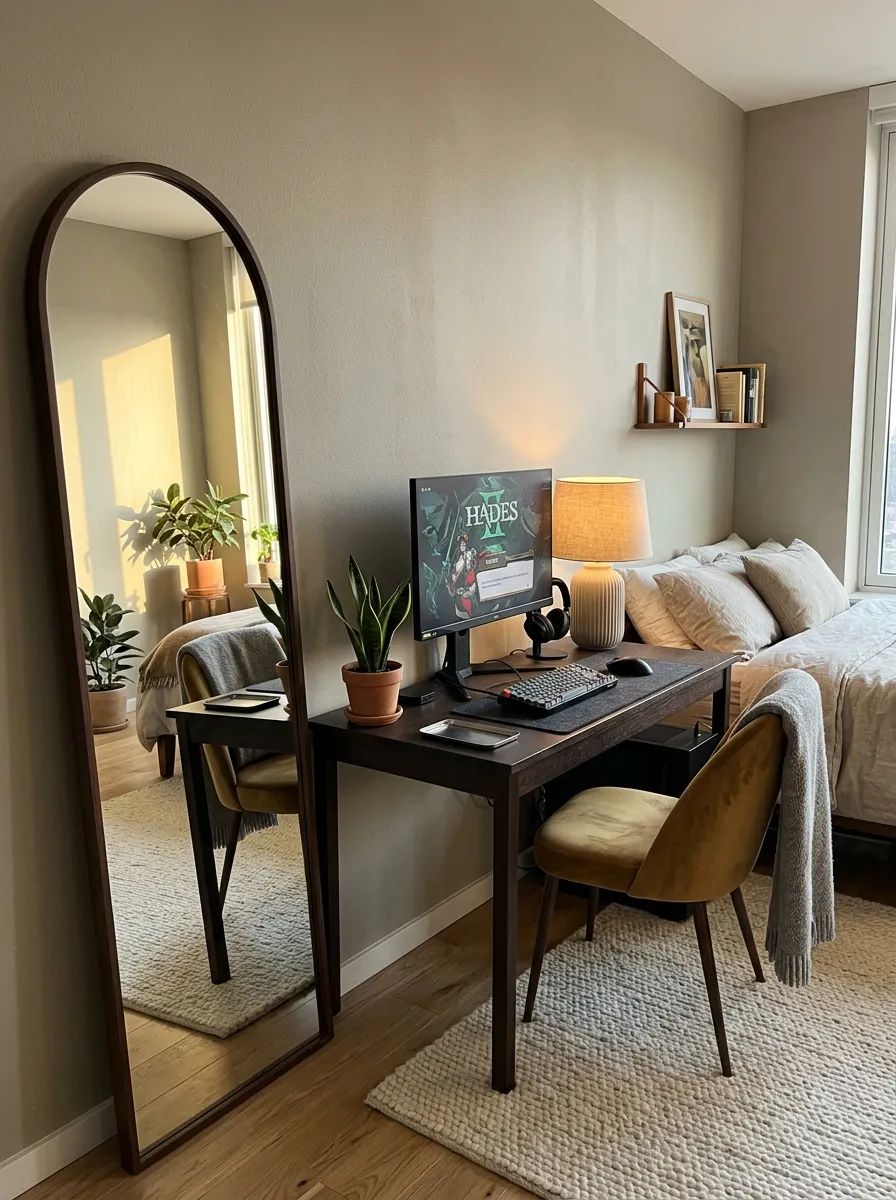
- Place the mirror beside the desk rather than directly behind the monitor.
- Angle the mirror toward the window to reflect daylight into the gaming corner.
- Choose a narrow desk with closed cable storage to keep the reflection clean.
- Keep the mirror slightly turned away from the screen to prevent glare.
Could one mirror make a cramped gaming corner feel noticeably less enclosed? Positioning a tall arched mirror beside the desk can bounce daylight into the darker side of the room while giving the wall another useful purpose. The workstation stays compact, but the reflection visually extends the surrounding space.
Espresso wood gives the desk depth against warm greige walls, while muted ochre on the chair introduces a controlled color accent. A slim arched frame also softens the strong rectangular lines of the monitor and desk. Keep the mirror slightly offset rather than placing it directly behind the screen.
There is one detail worth getting right: the reflection angle. A mirror facing the monitor can bounce bright screen light back toward the seating position, which becomes distracting during longer sessions. Turn it toward the window instead. You still gain reflected daylight without creating another source of glare around the gaming station.
16. Trunk Style Gaming Station
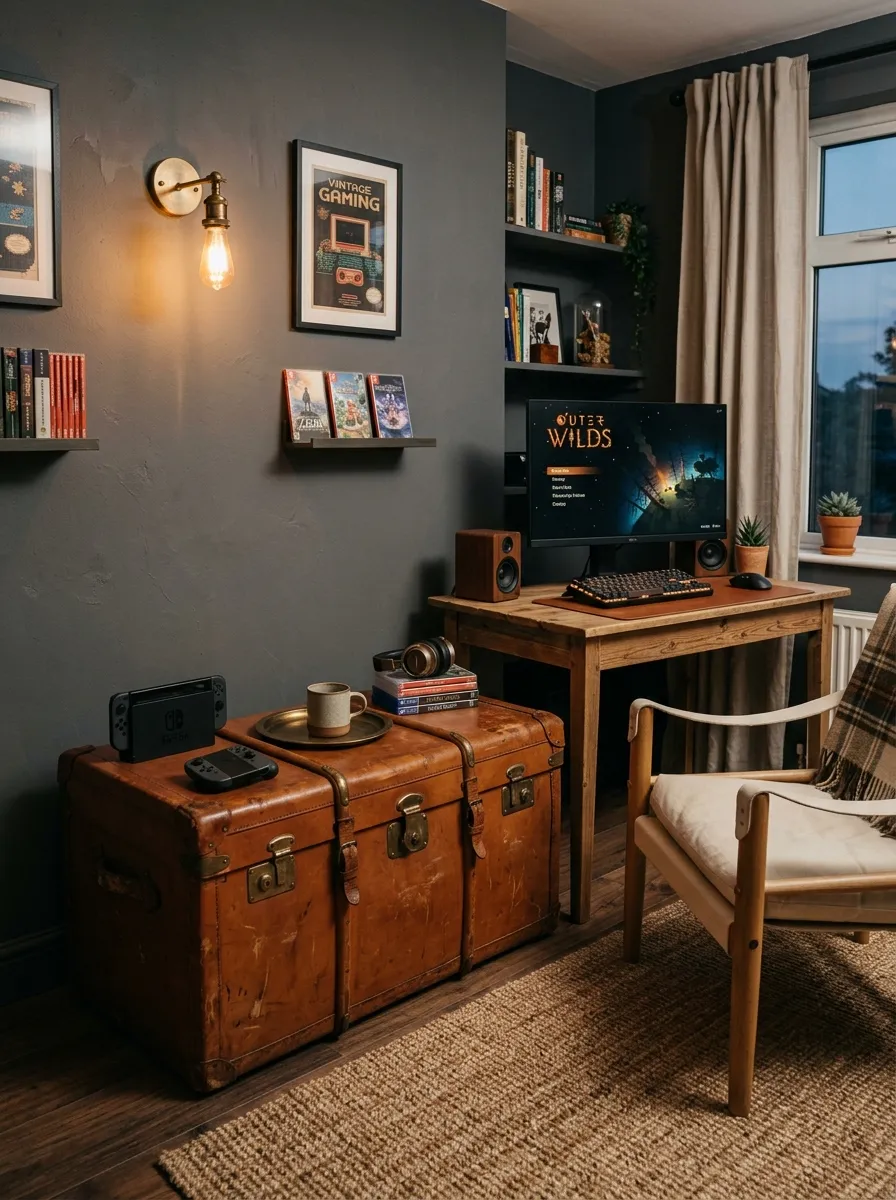
- Use a vintage trunk as closed storage for controllers, cables, and gaming accessories.
- Choose a trunk with a stable flat surface and enough interior capacity.
- Position the slim desk beside the trunk instead of placing both pieces together.
- Divide the trunk interior with small fabric bins to prevent tangled cables.
What if your gaming storage looked like something collected from an old apartment rather than typical gaming furniture? A cognac leather trunk can bring that unexpected character while keeping controllers, cables, and accessories hidden. Beside a slim reclaimed pine desk, it feels like part of the room instead of another piece of gaming equipment.
The charcoal wall gives the leather trunk depth, while dark oak flooring connects it to the rest of the setup. Keep the monitor on the proper desk rather than the trunk, since the extra height can make viewing uncomfortable. The trunk should handle storage only, giving the workstation a clear purpose and keeping equipment from spreading across the room.
17. Window Corner Racing Setup
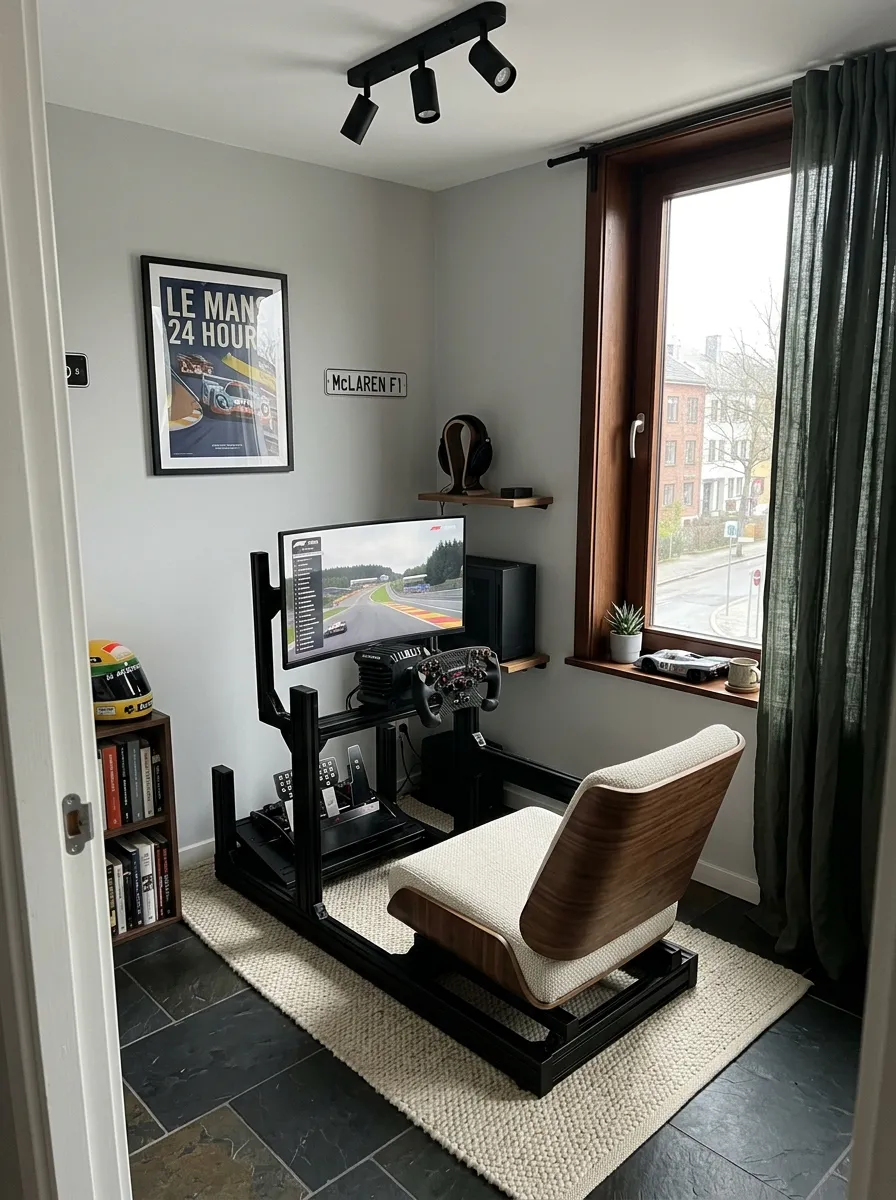
- Place the racing frame beside the window so daylight reaches the controls from the side.
- Choose a foldable wheel stand that can lean against the wall after gaming.
- Keep the seat aligned directly with the screen for comfortable driving sessions.
- Place a darker rug beneath the frame to visually define the racing area.
Does a racing setup have to take over an entire apartment? Not when the equipment is treated as temporary furniture. A compact wheel frame can occupy the window corner during gaming and fold back against the wall afterward. That approach gives you a dedicated racing zone without permanently sacrificing valuable floor space.
Walnut on the seat brings a warmer note beside the black metal frame, while slate flooring gives the setup a strong base. Keep the curtain behind the equipment rather than around it, and make sure the folded stand has a clear storage position. The real trick is planning where every large component goes when the gaming session ends.
18. Color Block Gaming Alcove
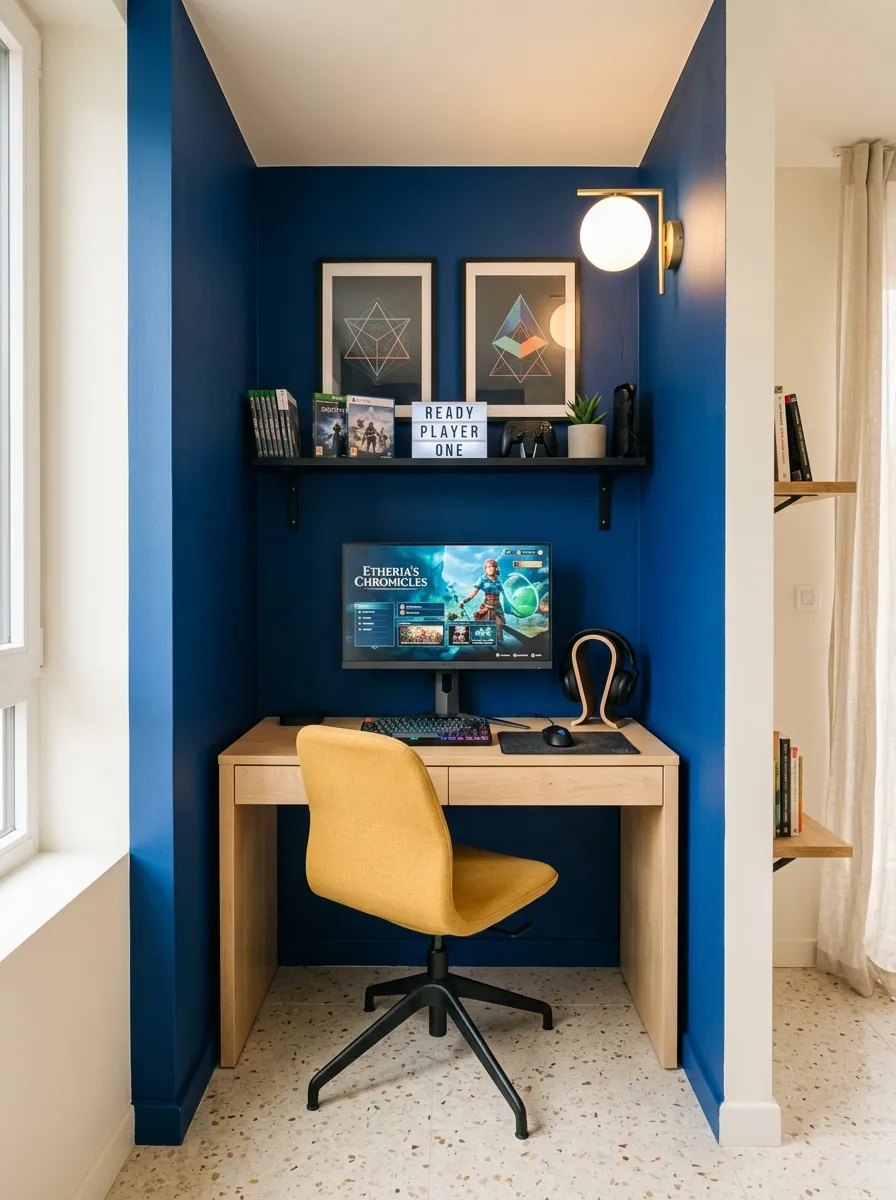
- Paint only the alcove to give the gaming station its own visual boundary.
- Keep the ceiling warm white so the narrow nook does not feel compressed.
- Use a compact maple desk to soften the saturated wall color.
- Limit accessories to graphite and mustard for a controlled palette.
Could one bold wall do more for a tiny gaming room than a pile of decorations? A cobalt blue alcove immediately marks the gaming zone without using a divider or extra furniture. The rest of the apartment can stay neutral while the workstation gets its own strong visual identity inside the narrow recess.
The warm white ceiling keeps the saturated blue from making the alcove feel shorter. Maple brings a lighter material into the composition, while the mustard chair introduces one unexpected contrast. Avoid covering the wall with several RGB colors. The painted backdrop already provides enough visual energy around the monitor.
A narrow black shelf above the desk should hold only useful gaming items, such as headphones or one controller dock. Leave some wall visible around the shelf so the cobalt color remains part of the design. A globe wall light beside the monitor can provide gentle side illumination while preserving the desk surface for actual gaming.
19. Window Ledge Gaming Desk
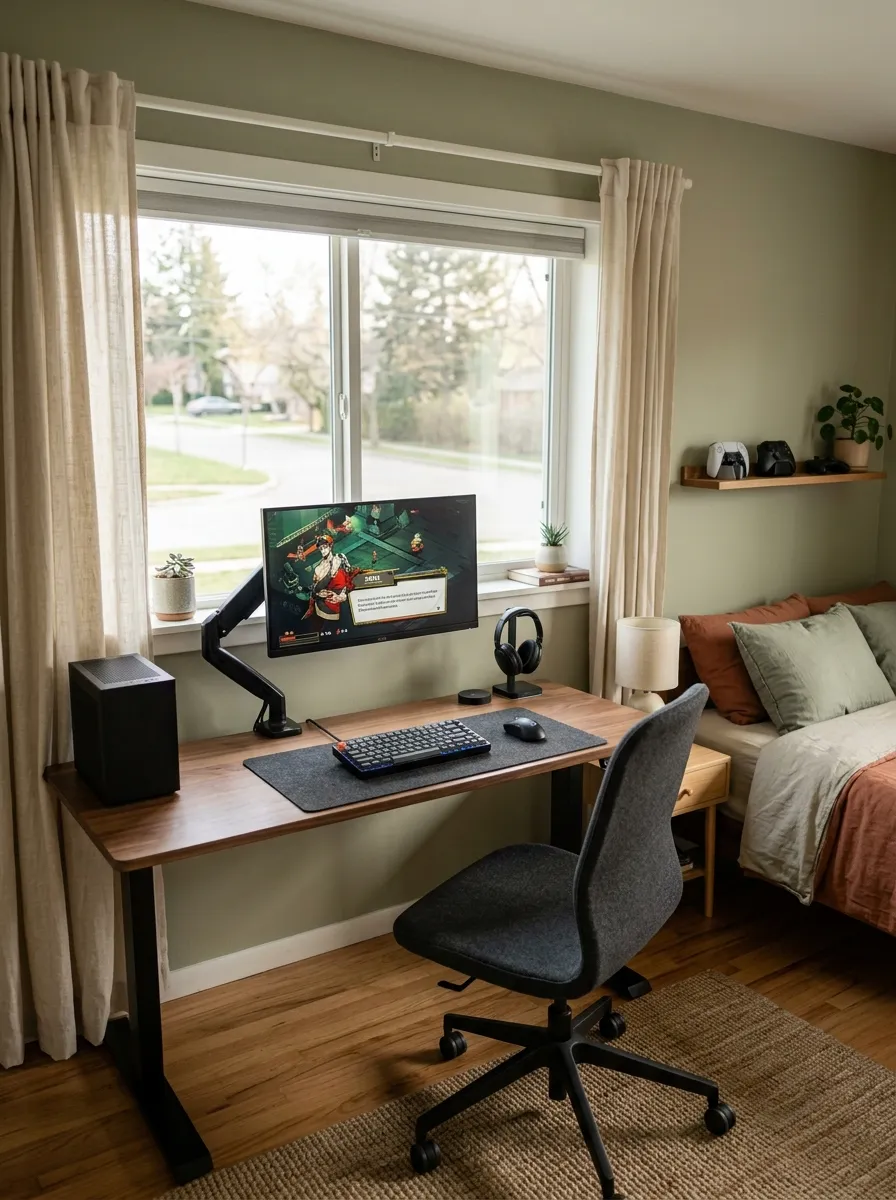
- Build the desk to match the window width so no wall space goes unused.
- Keep the desktop around 18 to 22 inches deep for easier movement.
- Mount the monitor on an arm to keep the screen close to the wall.
- Use a narrow shelf beneath the window for controllers and small gear.
What if the window you thought was taking away wall space could become the smartest spot for your gaming desk? A slim walnut surface beneath it uses that overlooked strip while keeping the center of the bedroom open. Morning or afternoon daylight also makes the workstation feel less enclosed than a desk pushed into a dark corner.
Keep the desk surface intentionally sparse. The monitor, keyboard, and mouse need the main working area, while the floating shelf can handle controllers and charging gear. Walnut gives the setup enough visual weight against muted sage walls, but a deep desktop would push too far into the walking path and make the bedroom feel tighter.
20. Ceiling Beam Gaming Lounge
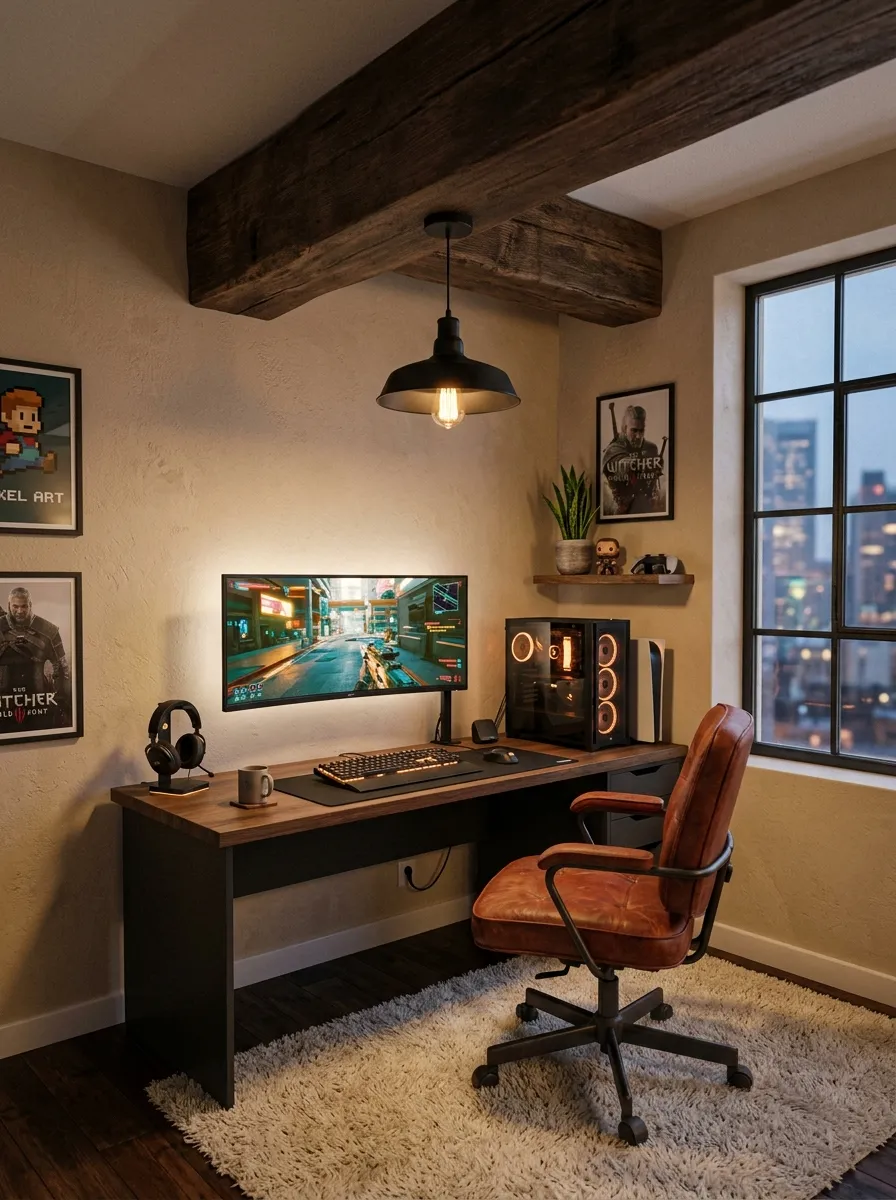
- Align the gaming desk directly beneath the exposed beam to define the zone.
- Keep the furniture low so the ceiling structure remains visually prominent.
- Mount the monitor beneath the beam instead of using a tall screen stand.
- Position one pendant light over the desk to reinforce the architectural line.
What if the ceiling itself could tell you exactly where the gaming area belongs? An exposed beam provides a natural boundary without taking away any floor space. Aligning the desk beneath it makes the workstation feel intentionally placed, while the rest of the apartment can remain open around it.
Smoked oak and rust leather bring depth beneath the warm beige ceiling, while the cream rug keeps the lower area from feeling too dark. Keep tall shelves away from the beam because they can make the ceiling feel compressed. A single pendant above the desk is enough to connect the overhead structure with the gaming station.
How to Set Up a Gaming Room in a Small Apartment
Start by choosing the part of the apartment that can handle gaming without blocking everyday movement. Measure the wall, floor depth, chair clearance, and nearby outlets before buying furniture. A compact desk, vertical storage, and flexible furniture can help the same area serve more than one purpose.
Think about the complete setup rather than the desk alone. The monitor, chair, PC or console, cables, lighting, and storage all need a place. Planning these details together makes it easier to keep a small gaming room functional without filling every open section.
Small Apartment Gaming Room Essentials
• Compact desk or floating desk
• Comfortable chair with a small footprint
• Monitor or wall mounted screen
• Vertical or floating storage
• Cable management tray or clips
• Controller and headphone storage
• Task or wall lighting
• Power strip with safe cable routing
• Small rug to define the gaming zone
• Ventilated surface for consoles or PC equipment
How to Save Floor Space in a Gaming Room
The easiest way to save space is to stop treating the floor as your only storage area. Floating desks, wall shelves, narrow towers, foldaway furniture, and storage benches can move useful items upward or into furniture that already has another purpose.
Leave the main walking route open whenever possible. A setup can contain all the equipment you need and still feel cramped if the chair blocks the path or the desk projects too far into the room. Measure movement space as carefully as you measure the furniture.
Small Gaming Room Storage Ideas
• Use floating shelves for controllers and small accessories.
• Choose tall narrow shelving instead of wide cabinets.
• Store spare equipment inside benches or daybeds.
• Use a foldaway cabinet when the room has multiple purposes.
• Keep frequently used gear within easy reach.
• Place less-used equipment inside closed storage.
• Use small bins to separate cables and accessories.
• Keep electronics on open or properly ventilated surfaces.
Best Desk Setup for a Small Apartment Gaming Room
A desk for a small apartment should provide enough working space without taking over the room. Measure the available wall depth before choosing one, then check how far the chair needs to move backward. Floating desks, corner desks, and shallow desks can all work when their size matches the room.
The monitor position matters too. A monitor arm can bring the screen closer to the wall, while a wall mounted display can remove the need for a deep console table. Keep the main gaming controls within easy reach and avoid using the desktop as permanent storage.
How to Hide Gaming Cables in a Small Room
• Run cables along the rear edge of the desk.
• Use an under desk cable tray for power strips.
• Group related cables with reusable ties.
• Keep wires away from walking paths.
• Use a slim painted cable channel when needed.
• Leave enough cable slack around movable furniture.
• Label important cables so they are easier to identify later.
• Keep power connections accessible rather than burying them behind furniture.
Gaming Room Lighting for Small Apartments
Lighting should help you see the desk without competing with the monitor. A wall mounted lamp can save desktop space, while a small task light can provide focused illumination when needed. If the desk sits near a window, check the screen at different times of day to see where glare appears.
You do not need to cover the room in RGB lighting to make it feel like a gaming space. One controlled accent can be enough when the furniture, artwork, wall color, or monitor already gives the area visual character.
Small Gaming Room Mistakes to Avoid
• Choosing a desk that is too deep for the room.
• Blocking the main walking path.
• Filling every wall with shelves.
• Hiding electronics without proper ventilation.
• Leaving cables across the floor.
• Using a chair that cannot tuck away.
• Placing the monitor directly against strong window glare.
• Buying furniture before measuring the available space.
• Using storage that is difficult to access.
• Adding too many colors or lighting effects to a small area.
How to Make a Small Gaming Room Feel Bigger
Keep the center of the room as open as possible and let the walls handle more of the storage. Floating furniture, narrow shelves, light visual materials, and furniture that serves two purposes can reduce the amount of floor space being used.
Mirrors can also help when placed thoughtfully, especially beside a window or another useful light source. The goal is not to fill the room with tricks, but to make each piece earn its space. A desk that stores equipment, a bench with hidden storage, or a cabinet that closes after gaming can all help.
Small Apartment Gaming Setup Guide
Setup Type | Space Saving Benefit |
|---|---|
Floating Desk | Keeps the floor open |
Corner Desk | Uses unused corners |
Foldaway Cabinet | Hides the setup after gaming |
Wall Shelves | Uses vertical space |
Window Setup | Makes use of empty wall areas |
Narrow Console | Fits tight spaces |
Gaming Nook | Keeps gaming in one zone |
Storage Bench | Combines seating and storage |
FAQs
1. Can you have a gaming setup in a small apartment?
Yes. Use compact furniture, floating desks, corner spaces, and vertical storage to fit your gaming equipment without taking over the room.
2. What desk is best for a small gaming room?
A shallow, floating, or corner desk can work well because it gives you a gaming surface while using less floor space.
3. How do you save space with a gaming setup?
Use wall mounted storage, foldaway furniture, narrow shelves, and furniture with built in storage. Keep the main walkway clear.
4. How do you hide gaming cables in a small room?
Use an under desk cable tray, cable clips, or a slim cable channel along the wall. Keep wires away from walking areas and group them neatly.
Conclusion
You do not need a spare room to have a gaming space that feels like yours. A corner, a window wall, a stretch of empty floor under the stairs, any of these can become a setup that works as hard as you play.
Pick the idea that matches the space you actually have, then build around it: desk first, then seating, then light, then storage. Small changes compound fast in a small apartment.
Save this post on Pinterest so your favorite layout is waiting when you are ready to rearrange. Share it with someone squeezing a setup into a tight space, and try the idea that made you look at your room differently today.
Read More : 17 Afrohemian Living Room Decor on a Budget